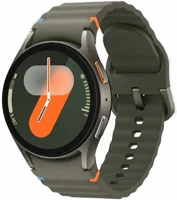
The Galaxy Watch7 is Samsung's mainstream smartwatch, in 44mm and 40mm sizes. It suits Android phone owners who want deep health tracking. Samsung lists 5 ATM and IP68 water resistance behind a sapphire crystal face. It also lists a sleep tracker that helps detect moderate to severe sleep apnea Samsung.
Galaxy Watch7 at a glance
44mm and 40mm
Case sizes
UP TO
2,000nits
Display brightness
425mAh
Battery
5ATM
Water and dust
Samsung lists these specs on its US Galaxy Watch7 page, its Watch7 versus Watch6 comparison and its own size pages Samsungsupport44mm specs40mm specs.
Case sizes
44mm and 40mm
Display brightness
Up to 2,000 nits
Battery
425 mAh (44mm), 300 mAh (40mm)
Water and dust
5 ATM, IP68, MIL-STD-810H
Display
Super AMOLED under sapphire crystal
Screen and resolution
480 x 480 (44mm), 432 x 432 (40mm)
Case material
Aluminum
Processor
3nm, 5 core, 1.6 GHz
RAM and storage
2 GB and 32 GB, 21.1 GB free
Battery life
Up to 40 hours, up to 30 hours with always-on display
Weight
33.8 g (44mm), 28.8 g (40mm)
Band width
20 mm
GPS
Dual frequency L1 and L5
Phone needed
Android 11.0 or above with 1.5 GB memory or more
How big is the Galaxy Watch7?
The 44mm case measures 44.4 x 44.4 x 9.7 mm and weighs 33.8 g 44mm specs. The 40mm case measures 40.4 x 40.4 x 9.7 mm and weighs 28.8 g 40mm specs.
The band connection width is 20 mm support. Samsung bands come in S/M for 130 mm to 190 mm wrists, and M/L for 145 mm to 205 mm wrists. Bands from the Galaxy Watch4, Watch5 and Watch6 also fit.
Galaxy Watch7 40mm or 44mm?
Both sizes run the same processor, memory and sensors. The 44mm case holds the larger battery and the larger screen, and the 40mm case is the lighter of the two.
Samsung sold both sizes in the US from launch day, in those colors newsroom.
Who the Galaxy Watch7 is for
Good fit if
You carry an Android phone.
You want a sleep apnea check.
You swim in a pool.
You track body fat and muscle.
You run or ride outdoors with GPS.
Pick another model if
→You want a 3,000 nit screen: pick the Galaxy Watch8 Samsung.
→You want a stainless steel case: pick the Galaxy Watch8 Classic Samsung.
→You want 10 ATM water resistance: pick the Galaxy Watch Ultra Samsung.
Good to know before you buy
!
The Watch7 pairs with Android phones, not iPhones. Samsung says Galaxy watches running Wear OS are not compatible with iOS devices. It asks for Android 11.0 or above with 1.5 GB of memory or more supportSamsung.
!
The sleep apnea and ECG features run through the Samsung Health Monitor app. That app works on Samsung Galaxy phones with Android 12.0 or higher, and not on other Android phones or iOS support. You also need to be 22 years of age or older.
!
Samsung rates most of its watches for fresh water swimming. After seawater, rinse the watch in fresh water and dry it, and keep it away from water at high pressure supportsupport. Samsung says the watch is not intended for scuba diving.
!
Wireless power sharing from a phone does not charge the Watch7. Samsung says the Watch7, Watch Ultra and Watch8 series are not compatible with it. Charge from the wireless charger instead support.
!
Extra bands are sold separately. The watch arrives with one band. Samsung lists Sport, Fabric and Athleisure bands in S/M and M/L as separate buys Samsungsupport.
Note
Samsung says the heart rate software is not intended for use in diagnosing disease Samsung.
How the Galaxy Watch7 compares
Galaxy Watch7 vs Galaxy Watch8
The Watch8 is the brighter of the two, at up to 3,000 nits against up to 2,000 nits. It also carries a slightly larger battery, an Armor Aluminum case and an antioxidant index Samsung.
The Watch7 moves to a 5 core 3nm processor and doubles storage to 32 GB. It also adds dual frequency GPS, the sleep apnea check and the AGEs index support.
The Watch7 carries the newer 5 core processor, more memory, more storage and an infrared temperature sensor. The Watch FE comes in one 40mm size, with a 247 mAh battery and a sapphire crystal glass face Samsung.
Yes, for swimming in fresh water. Samsung rates the Watch7 at 5 ATM and IP68, and builds it to the MIL-STD-810H durability standard Samsung. Samsung says watches with these ratings can stay under 5 feet of water for up to 30 minutes support.
Water lock mode stops the screen reacting to water. Swipe down for Quick settings and tap the water lock icon. A swim workout also turns it on by itself support. Press and hold the Home button to turn it off.
Samsung asks you to shake the watch lightly after it gets wet, then dry it with a clean, soft cloth. Most of its watches are rated for fresh water swimming.
Before you start
Samsung says the watch is not intended for scuba diving, and should not meet water at high pressure support.
Battery and charging
Samsung lists up to 40 hours with the always-on display off, and up to 30 hours with it on 44mm specs. The 44mm holds 425 mAh and the 40mm holds 300 mAh. Both sizes quote the same hours.
Charging is wireless. Plug the USB end of the dock into an adapter, then into a power source. Set the watch face up on the magnetic dock support. Samsung names the EP-OL300 as the charger for the Watch7 series support.
Samsung asks you to dry the charging surface on the back of the watch before you attach it to a charger support. Sweat, dust or liquid on either surface can break the connection.
Tip
Thick cases and metallic straps can block the wireless signal, so take them off to charge support.
Processor, storage and GPS
Samsung fits a 3nm, 5 core processor running at 1.6 GHz, with 2 GB of RAM and 32 GB of storage Samsung44mm specs. Of that storage, 21.1 GB is free for your own use.
Yes, the Watch7 has GPS, and Samsung lists it as dual frequency L1 and L5 support. Samsung says the dual frequency system tracks location more precisely for outdoor workouts newsroom. The watch also reads Glonass, Beidou and Galileo.
What changed from the Galaxy Watch6
The processor moves from a dual core 5nm chip to a 5 core 3nm chip, and the clock rises from 1.4 GHz to 1.6 GHz support. Storage doubles from 16 GB to 32 GB. GPS moves from single frequency L1 to dual frequency L1 and L5.
The 44mm case also changes shape, from 44.4 x 42.8 x 9.0 mm to 44.4 x 44.4 x 9.7 mm. That is 0.7 mm thicker, about 8% more, by our maths. Battery capacity stays at 425 mAh and 300 mAh.
Sleep tracking and the sleep apnea check
The Watch7 tracks sleep using data that includes blood oxygen and skin temperature support. Samsung says a Galaxy AI-enhanced sleep tracker helps detect moderate to severe sleep apnea Samsung.
The sleep apnea feature holds De Novo authorization from the US Food and Drug Administration newsroom. Samsung describes it as an over-the-counter, software-only mobile medical application. It looks for signs of moderate to severe obstructive sleep apnea over a two-night monitoring period.
To use it, open the Samsung Health Monitor app on your phone, tap the Sleep apnea tab and turn the feature on support. Then wear the watch for at least two consecutive nights. Samsung's own sleep tracking with Galaxy AI asks for 7 nights of wear in a 30 night period Samsung.
Before you start
Samsung says the sleep apnea feature is for adults 22 years and older who have not been diagnosed with sleep apnea Samsung.
Body composition from your fingertips
A Bioelectrical Impedance Analysis sensor reads your body composition from your fingertips Samsung. Samsung lists six readings: weight, body fat, body mass index, skeletal muscle, body water and basal metabolic rate.
The watch also carries an AGEs index, which is new to the Watch7 and later models. Samsung says it shows how your diet could affect your metabolic health. It asks for a Samsung account and Samsung Health 6.27 or later, on a phone with Android 10 or later.
Cycle tracking uses the infrared temperature sensor to sense small changes while you sleep, then predicts your next period and ovulation. Samsung says this is not intended for contraception, and not for users under 18 years of age.
How to set up and use it
Install the Galaxy Wearable app from the Play Store on your Android phone.
Open the app and tap Start.
Turn the watch on and keep it close to the phone.
Tap your watch's name under Available devices, then tap Confirm.
Sign in to your Google account and accept the permissions.
Choose your wrist and button position, then tap Next.
Restore settings from an older Samsung watch if you want to, then finish the on-screen steps support.
Install the Samsung Health app from the Play Store to see your health data Samsung.
For ECG and the sleep apnea check, pair the watch with a Samsung Galaxy phone on Android 12.0 or higher. The Samsung Health Monitor app then installs itself once both are paired and up to date support.
Care and quick fixes from the manual
How to clean the Galaxy Watch7
Clean your wrist and the band after exercise or sweating.
Wipe both with a soft, lint-free cloth, then dry them.
Use clean water on a rubber band, then dry it fully.
Use a dry, soft, lint-free cloth on a leather band.
Lift a stain with a moistened soft-bristle toothbrush support.
Samsung asks you to keep away from soap, cleaning agents, abrasive materials and compressed air. It also names hand sanitizer and detergent as products that can irritate skin if they stay on the watch.
If it will not charge
Use the Samsung charger for your model, the EP-OL300 for the Watch7 series.
Take off any thick case or metallic strap.
Wipe the back of the watch and the charging pad clean and dry.
Plug the adapter into a wall socket, not a PC or a multi-port hub.
Check the adapter supports fast charging.
Open Samsung Members on your phone, then Connected device diagnostics, and run the wireless charging health test support.
Note
The wireless charging pad is not waterproof, so keep it away from moisture support.
How to restart the Galaxy Watch7
Press and hold the Home key and the Back key together until "Rebooting" shows at the bottom of the screen support.
How to factory reset the Galaxy Watch7
Back up your data first.
On the watch, open Settings›General›Reset.
Tap the checkmark and follow the prompts.
Or use the phone: Galaxy Wearable›Watch settings›General›Resetsupport.
A reset removes all data on the watch and puts the settings back to default.
How to change the band
Press the button on the band and pull the band away from the watch.
Press the button on the new band and hold it against the watch.
Let the button go so the band clicks into place support.
Galaxy Watch7 FAQ
When did the Galaxy Watch7 come out?
Samsung Electronics America announced US availability on July 24, 2024 newsroom.
Does the Galaxy Watch7 work with an iPhone?
No. Samsung says Galaxy watches running Wear OS are not compatible with iOS devices support. The Samsung Health Monitor app is also unavailable on iOS support.
How do you enable blood pressure on the Galaxy Watch7?
Set up the Samsung Health Monitor app, then tap Blood pressure and Calibrate the watchsupport. Calibration needs a third-party upper-arm cuff, sold separately, and three measurements inside 30 minutes. Samsung asks for a fresh calibration every 28 days, and says the feature needs Android 12 or later and Wear OS 4.0 or later.
Does the Galaxy Watch7 have ECG?
Yes. Samsung lists an electrical heart sensor, and the Samsung Health Monitor app records ECG data and reads your heart's rhythm 44mm specssupport. Rest a finger on the top button for 30 seconds to take a reading.
Can you use the Galaxy Watch7 without a phone?
No. Samsung says Galaxy watches running Wear OS cannot be used without a phone support.
How much is the Galaxy Watch7?
See today's price with the link above.
The verdict
4/4 PASS
No. 030 · Samsung Galaxy Watch7
Android users who want serious health tracking.
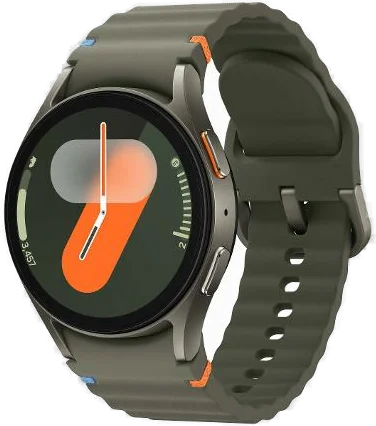
The Galaxy Watch7 suits an Android phone owner who wants health tracking with real depth. Samsung lists a sleep apnea check with FDA authorization, a BIA body composition sensor, dual frequency GPS and a 5 ATM and IP68 rating, behind a sapphire crystal face. Pair it with a Samsung Galaxy phone on Android 12.0 or higher if the sleep apnea and ECG features are the reason you are buying.
 4/4 PASS