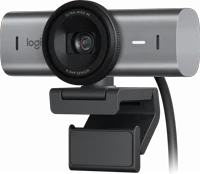
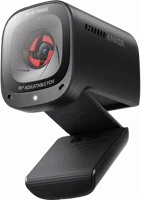
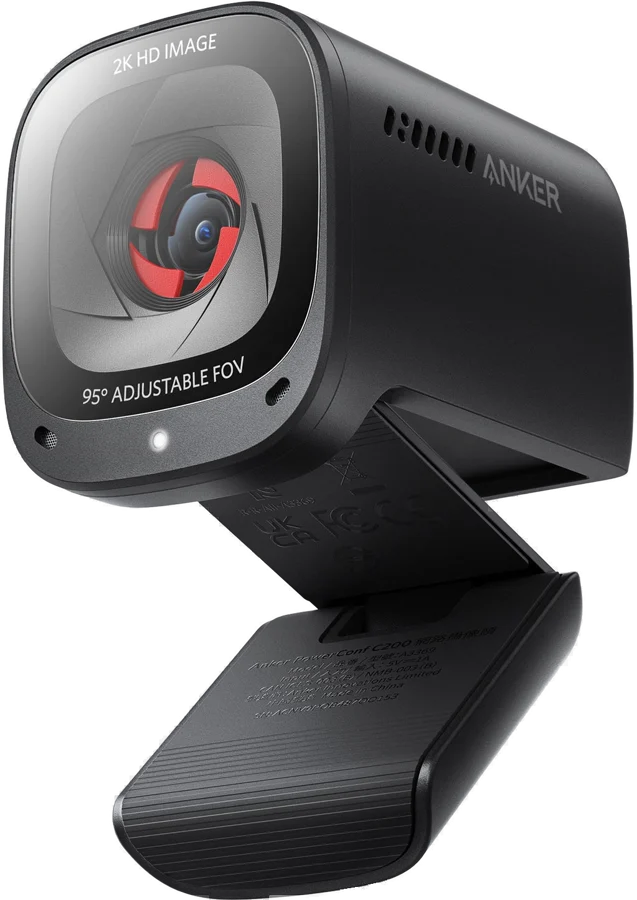
The Anker PowerConf C200 is a USB webcam for one person at a desk. It captures 2K video at 30 frames per second, and it carries dual stereo microphones manual. Anker recommends it for a personal workspace, with a cover built into the body that slides across the lens.
Anker PowerConf C200 at a glance
2K at 30 frames per second
Resolution
65,78 or 95 degrees
Field of view
Dual stereo microphones
Microphones
15cm to 3 m
Focus distance
Anker lists these numbers in the PowerConf C200 (A3369) user manual and on the product page manualAnker.
Resolution
2K at 30 frames per second
Field of view
65, 78 or 95 degrees
Microphones
Dual stereo microphones
Focus distance
15 cm to 3 m
Other resolutions
1080p, 720p and 320x240, each at 30 frames per second
Focus type
Automatic focus
Sensor
5 MP CMOS, 1/2.7 inch
Voice algorithm
AGC (Auto Gain Control), ANC (Auto Noise Cancellation)
Voice pickup distance
3 m
Video codec
MJPEG, YUV
Power input
5V 1 A, down the USB cable
Connection
USB-C port on the webcam, USB-A plug for the computer
Mounting
Adjustable clip or stand, plus a 1/4 inch tripod thread
Systems
Windows 7 or later, macOS 10.11 or later
Is the Anker PowerConf C200 really 2K?
Yes, the manual lists 2K at 30 frames per second as the top mode manual. Anker names the maximum video frame rate as 2K video capture at 30fps. The same row lists 1080p, 720p and 320x240 as the lower modes.
Does the PowerConf C200 have a microphone?
Yes, Anker lists dual stereo microphones inside the body manual. The voice algorithm row names AGC, for Auto Gain Control, and ANC, for Auto Noise Cancellation. Voice pickup distance is 3 m.
Does the PowerConf C200 have Bluetooth?
No, Anker lists a USB-C port on the webcam and a USB-A plug for the computer manual. The spec list names no wireless connection. Power arrives down the same cable at 5V 1 A.
Who the Anker PowerConf C200 is for
Good fit if
You make video calls from one desk.
You want 2K video, not 1080p.
You want a cover over the lens.
You want microphones in the camera.
You use Teams, Zoom or OBS.
Pick another model if
→You want a light in the camera: pick the B600 Video Bar Anker.
→You want a 115 degree view: pick the PowerConf C300 Anker.
→You want a speaker in the camera: pick the PowerConf S3 Anker.
Good to know before you buy
!
The field of view choice lives in the AnkerWork software. Anker says you pick 65, 78 or 95 degrees through that software Anker. The manual sends you to software.ankerwork.com to download and install it on the computer manual.
!
Firmware updates ask for a newer system than the camera does. The download page lists Windows 7/8/10 and above for the software, and says firmware updates are not supported on Windows 7 and 8 AnkerWork. On a Mac the software asks for macOS 10.14 and above, while the camera itself works from macOS 10.11.
!
Every resolution runs at 30 frames per second. The manual lists 2K, 1080p, 720p and 320x240, each at 30fps manual. For 60 frames per second, choose a camera that lists it.
!
A tripod is not provided. The manual says to fold the clip in and mount the webcam on a tripod using the 1/4 inch thread. Anker adds that the tripod is not provided manual. The clip itself fits over a monitor or a laptop screen.
!
The body holds no light and no speaker. Anker's own webcam comparison leaves both rows blank for the C200 Anker. In that same table the B600 Video Bar carries a light and two 2W speakers.
Tip
The camera switches off by itself while the privacy cover blocks the lens manual.
How the Anker PowerConf C200 compares
Anker PowerConf C200 vs Logitech C920s
The PowerConf C200 lists 2K at 30 frames per second. Logitech lists 1080p at 30 frames per second for the C920s PRO HD Webcam. The C200 switches between three view angles in software, and Logitech lists a fixed 78 degree diagonal view Logitech.
Windows 8 or later, macOS 10.10 or later, ChromeOS
Software
AnkerWork
Logi Tune
Warranty
Not listed by Anker
1 year limited hardware warranty
Anker PowerConf C200 vs Anker PowerConf C300
Anker puts both cameras in one comparison table on the C200 page. The C200 lists 2K resolution with a 65, 78 or 95 degree view. The C300 lists 1080p with a wider 78, 90 or 115 degree view.
The Logitech MX Brio is a 4K camera, and it lists 4K at 30 frames per second or 1080p at 60. It also carries a shutter that rotates to block the camera Logitech. The PowerConf C200 lists 2K at 30 frames per second, with three view angles instead of one fixed 90 degree view specification.
Windows 10 or later, macOS 10.15 or later, ChromeOS, Linux
Software
AnkerWork
Logi Options+ or G HUB
How the privacy cover works
A switch on the body slides the cover across the lens. Anker names the two parts the privacy cover switch and the privacy cover manual. The camera turns off automatically when the cover blocks it.
Anker describes the panel as red, so a glance tells you that you are off camera soundcore. The product page says to slide the cover on when the webcam is not in use Anker.
Microphones and noise cancellation
Anker lists two microphones in the body and calls them dual stereo microphones manual. The voice algorithm row names Auto Gain Control and Auto Noise Cancellation. Voice pickup distance is 3 m, so the camera is aimed at one person at a desk.
In Anker's own comparison the smart function for the C200 is AI Noise Cancellation Anker. The US listing says the dual mics reduce noise and balance your voice for clear stereo sound soundcore.
What the AnkerWork software does
The software changes camera settings and updates the firmware. Anker says to download it from software.ankerwork.com and install it on the computer manual. The choice of a 65, 78 or 95 degree field of view sits inside it Anker.
The download page lists the general software at version 3.0.4 AnkerWork. It covers every AnkerWork product except the PowerConf H300, H500 and H700 headsets. Windows gets AnkerWork-Setup-ia32.exe, and macOS has separate Intel and Apple chip builds.
Note
The camera needs no driver. Anker says plug-and-play support lets the computer recognize it at once manual.
Does the PowerConf C200 work on a Mac?
Yes, Anker lists macOS 10.11 or later among the supported systems manual. The manual gives a macOS path for camera access: Apple menu›System Preferences›Security & Privacy, then Camera from the list on the left.
On the Windows side Anker lists Windows 7 or later manual. Anker's supported systems row names Windows and macOS, and it does not name iOS or iPadOS.
Is the PowerConf C200 good for streaming and gaming?
Anker lists OBS, Twitch and XSplit in the supported software row manual. The same row names Zoom, Google Meet, BlueJeans, Cisco Webex, Microsoft Teams, FaceTime, Skype for Business, YouTube, WeChat and Facebook Messenger.
The top frame rate is 30 per second at every resolution, and the video codec row lists MJPEG and YUV manual. Anker recommends the C200 for a personal workspace Anker.
How to set up and use it
Unfold the clip and sit it over the top of your monitor or laptop screen.
Press the clip against the back of the screen for a secure fit.
Tilt the webcam up or down to frame your shot.
Plug the USB-C connector on the supplied cable into the USB-C port on the webcam.
Plug the USB-A connector into a free port on the computer.
Open the app you want to use. The LED light turns white while an app is using the webcam manual.
On Windows, open Settings›Privacy›Camera and turn on Allow apps to access your camera.
Turn on each app in that list where you want to use the camera.
On macOS, open Apple menu›System Preferences›Security & Privacy, pick Camera, then check the box beside each app.
In Zoom and other apps, open Settings›Video›Camera and choose this webcam.
For a tripod, fold the clip in and screw the webcam onto the 1/4 inch thread.
Care and quick fixes from the manual
If the picture is black
Look at the privacy cover switch on the body.
Slide the cover clear of the lens. The camera turns off automatically while the cover blocks it manual.
Check that the LED light is white, which Anker says means an app is using the webcam.
If the computer does not find the webcam
Plug the cable into a different USB port on the computer.
On Windows, open Settings›Privacy›Camera and turn the camera on for the app you want.
In the Windows Camera app, switch to the Full HD Camera if you see that choice.
If the microphone is not working
Pick the webcam and its built-in microphones by hand in your system sound settings manual.
In Zoom and other apps, open Settings›Video›Camera and choose this webcam.
Keep the speaker inside 3 m, which Anker lists as the voice pickup distance.
How to mount it on a tripod
Fold the clip in against the body.
Line the 1/4 inch thread on the base up with the tripod screw.
Turn the webcam onto the thread. Anker does not provide the tripod manual.
Anker PowerConf C200 FAQ
Does the PowerConf C200 need a battery?
No, Anker lists an input of 5V 1 A, which the USB cable carries from the computer manual. There is no battery and no charging step.
What is the model number of the PowerConf C200?
Anker names the webcam A3369 on the cover of the user manual manual. The product page sits at the same code Anker.
How close can the PowerConf C200 focus?
The manual lists a focus distance of 15 cm to 3 m, with automatic focus manual.
Does the PowerConf C200 handle a dim room?
Anker says the larger aperture size captures more light, so you look bright without a ring light Anker. The US listing adds an adaptive light sensor and glass lenses that let the right amount of light through soundcore.
What is in the PowerConf C200 parts list?
The manual names nine parts on the body. They are the privacy cover switch, the privacy cover, the autofocus 2K HD lens, the microphones and the LED light. The rest are the USB-C port, the air vents, the adjustable clip or stand and the tripod thread manual.
How much is the Anker PowerConf C200?
See today's price with the link above.
The verdict
4/4 PASS
No. 073 · Anker PowerConf C200
Sharp 2K calls from your desk.
The Anker PowerConf C200 suits one person on video calls at a desk. It fits a buyer who wants 2K rather than 1080p, and a cover built into the camera. Anker pairs a 5 MP CMOS sensor and automatic focus with dual stereo microphones, auto gain control and auto noise cancellation. The three view angles and the firmware updates run through the AnkerWork software, so plan on installing it on the computer.
 4/4 PASS