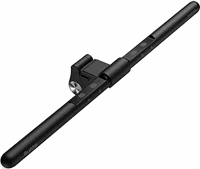
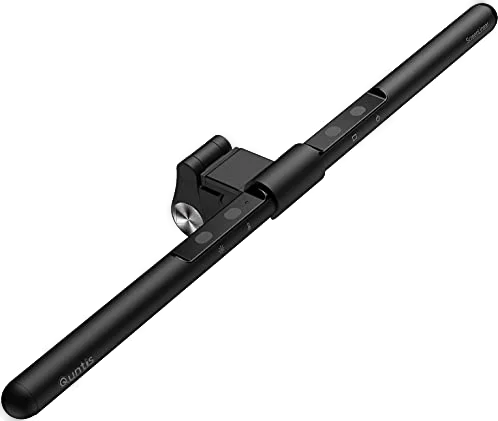
The Quntis Focus 40 cm is a USB-powered light bar that clips to the top of a monitor. It suits anyone at a 17 to 27 inch screen who wants light on the desk and none on the glass. Quntis lists 900 lux at the center and a color rendering index of Ra 98 manual.
Quntis Focus 40 cm at a glance
900lux
Center illuminance
3000K to 6500 K
Color temperature
17to 27 inch
Fits monitors
5W
Power
Quntis lists these numbers in the Focus 40 cm user manual and on its spec page manualQuntis specs.
Center illuminance
900 lux
Color temperature
3000 K to 6500 K
Fits monitors
17 to 27 inch, curved or flat
Power
5 W, input 5 V / 1 A
Model number
LI-HY-0205-BK, variant F40BK
Length
40 cm (15.7 inch)
Color rendering (CRI)
Ra 98
Beam angle
45 degrees, asymmetrical
Dimming
Auto dimming and stepless dimming
Brightness steps
5%, 15%, 40%, 70%, 100%
Color steps
3000 K, 4000 K, 5000 K, 6500 K
Control
Touch buttons on the bar
Material
Aluminum and ABS
Cable
180 cm (70.8 inch) USB-C
What size monitor does the Quntis light bar fit?
The manual lists 43 to 69 cm (17 to 27 inch) curved or flat monitors manual. Its drawings cover thick monitors, thin monitors, irregular monitors and a curved-back Mac display. The spec page lists a screen thickness of 0.3 to 8 cm (0.12 to 3.15 inch) Quntis specs.
The older description on the Quntis store page lists 15 to 22 inch flat monitors, 0.3 to 1.4 inch thick Quntis. Measure your monitor, and ask Quntis if your screen sits near the edge of either range.
How bright is the Quntis monitor light bar?
Quntis lists center illuminance of 900 lux manual. The store page states illuminance of at least 700 lux for the same model Quntis. Five touch presets set the output at 5%, 15%, 40%, 70% or 100%.
→You want a remote: pick the Focus Dual-Control 41 cm Quntis.
→You have a 28 to 32 inch monitor: pick the Focus 52 cm Quntis.
→You want an ambient glow behind the screen: pick the Glow series, which adds a backlight Quntis.
Good to know before you buy
!
Quntis lists two different monitor ranges for this model. The manual and spec page say 17 to 27 inch, curved or flat. The store description says 15 to 22 inch, flat screens manualQuntis.
!
The bar needs a USB port that gives 5 V / 1 A or more. The manual says the light flashes when the power is too low, and to try another USB port with enough output manual.
!
No plug adapter comes in the box. Quntis says you can power the bar from a computer, a phone charger or a power bank Quntis.
!
This is a front light with no backlight. Quntis lists the Focus 40 cm as front light, and puts the backlight models in its Glow and IM lines Quntis.
!
The manual marks the bar for indoor use. Keep it away from water, high heat and long spells of direct sun, and hang nothing on it manual.
How the Quntis Focus 40 cm compares
Quntis monitor light bar vs BenQ ScreenBar
Both bars clip to a monitor, run on 5 W from USB and use an asymmetrical beam. Quntis lists a wider color range at Ra 98, and BenQ lists 930 lux at a 45 cm height plus a coverage figure BenQ.
Quntis monitor light bar vs Xiaomi monitor light bar
The Quntis bar takes touch input on the bar itself, and Xiaomi ships a 2.4 GHz wireless remote with its light bar Xiaomi. Xiaomi's bar is 448 mm long and runs on the same 5 V / 1 A input.
Does the Quntis light bar put glare on your screen?
No, Quntis says a 45 degree asymmetrical beam lights the desk and keyboard and leaves no reflected glare on the screen Quntis. Quntis calls this an asymmetrical optical design. It adds that the bar passed IEC62471 optical radiation safety and IEC62778 anti-blue-light testing.
Tip
Set the angle of the bar and the clip before you mount it on the monitor manual.
How does the auto dimming work?
A light sensor on the bar reads the room, and the bar sets its own brightness. Tap the auto dimming button to switch it on manual. In a dark room the light brightens, and in a bright room it dims.
Quntis says a blue indicator light shows the function is running. In the dark, the bar reaches its brightest level in 7 to 8 seconds Quntis. The bar keeps adjusting through the day.
Warm or cool white, and how to set it
The bar covers 3000 K warm white up to 6500 K cool white manual. Tap the color temperature button to step through 3000 K, 4000 K, 5000 K and 6500 K. Hold the same button to slide through the whole range.
Brightness works the same way. Tap the brightness button for 5%, 15%, 40%, 70% and 100%, or hold it to slide between those levels manual. A memory function restores your last brightness and color setting when power comes back.
Is the Quntis light bar easy on the eyes?
Quntis lists the bar as anti-blue light, and says it is flicker-free Quntis specsQuntis. It names two test standards: IEC62471 for optical radiation safety and IEC62778 for blue light.
Quntis also lists an estimated lifespan of up to 40,000 hours, and says the bar passed 10,000 safety tests Quntis. By our maths, 40,000 hours is 10,000 days at 4 hours a day, or about 27 years.
How to set up and use it
Set the angle of the bar, then set the clip to the thickness of your monitor.
Slide the light bar into the clip.
Rest the clip on the top edge of the monitor.
Plug the USB-C cable into the bar, then into a USB port, charger or power bank.
Tap the ON/OFF button to switch the light on manual.
Tap the brightness button and the color temperature button to set the light.
Tap the auto dimming button to let the bar follow the room.
How to set the 2-hour timer
Hold the ON/OFF button for 3 seconds.
Wait for the light to flash once. The 2-hour timer is now running.
To restart the countdown, hold the button again until the light flashes once.
To cancel it, tap the button once to switch the light off manual.
Care and quick fixes from the manual
If the light flashes or will not turn on
Check that the USB port gives 5 V / 1 A or more.
Move the cable to a USB port with a higher output.
Keep it away from water, high heat and long direct sun.
Do not take it apart or change it.
Stop using it if the housing is damaged.
Use a power adapter with enough output.
Keep it away from children. It is not a toy.
Put nothing on the bar and hang nothing from it.
Before you start
Stop using the bar if the housing is damaged or any part looks wrong manual.
Quntis monitor light bar FAQ
Does the Focus 40 cm come with a remote?
No, the Focus 40 cm takes touch input on the bar itself manual. The Focus Dual-Control 41 cm adds a wireless remote alongside the touch buttons Quntis.
Can you run it from a power bank?
Yes, Quntis says a computer, a phone charger or a power bank can power the bar Quntis. The manual asks for 5 V / 1 A or more from that source.
Does it have an RGB backlight?
No, Quntis lists the Focus 40 cm with a front light Quntis. Quntis puts its RGB backlight bars in the IM line, such as the IM 40 cm.
Does the Focus 40 cm fit a laptop?
No, the Quntis store page says the Focus 40 cm is not suitable for laptops Quntis. Quntis lists a 22.5 cm Focus laptop bar for 11 to 17 inch laptop screens Quntis.
What warranty does Quntis give?
Quntis offers a 6-month extended warranty, for up to 18 months of cover, when you register as a VIP on quntis.com Quntis. Quntis also runs a 30-day return policy on its own store Quntis.
How much is the Quntis monitor light bar?
See today's price with the link above.
Where is the Quntis manual?
Quntis posts the Focus 40 cm user manual as a PDF from its Support and Manuals page manual. It covers 11 languages, the spec table, assembly and the touch buttons.
The verdict
4/4 PASS
No. 032 · Quntis ScreenLinear
Long screen hours without the eye strain.
The Quntis Focus 40 cm suits a 17 to 27 inch monitor and a desk with no room for a lamp. Quntis pairs a 45 degree asymmetrical beam with 900 lux at the center, Ra 98 color rendering and a 3000 K to 6500 K range. The light sensor and the 2-hour timer handle the setting changes across a long work day.
 4/4 PASS