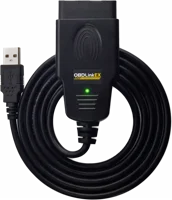
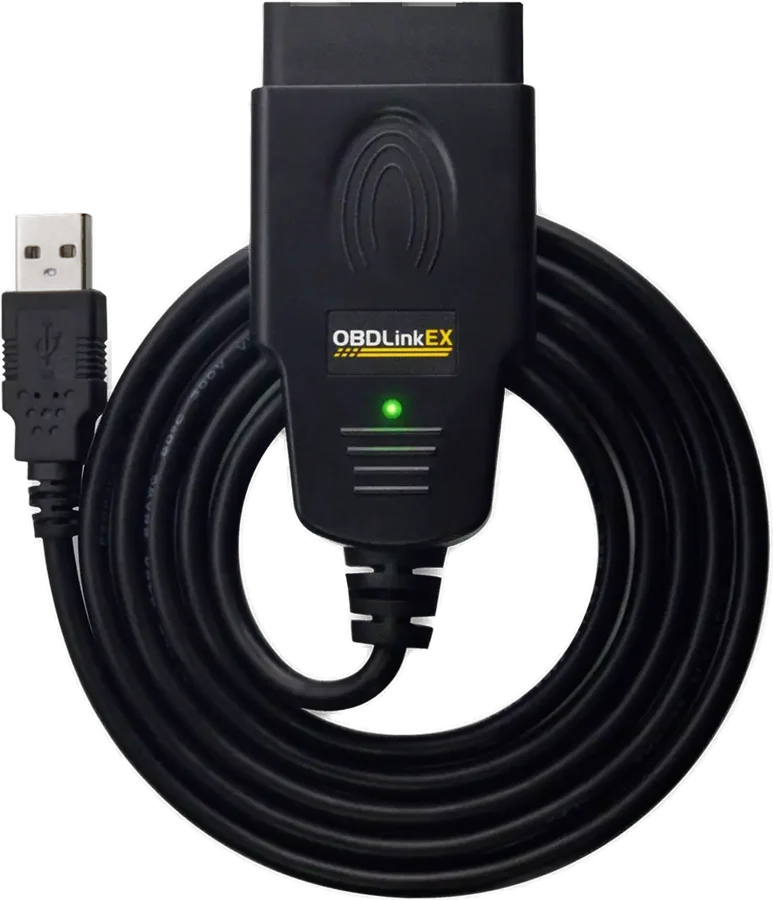
The OBDLink EX is a USB OBD adapter built for the Windows version of FORScan. It suits Ford, Lincoln, Mercury and Mazda owners who want deep diagnostics at home. OBDLink says its electronic switch lets FORScan reach all of the car's CAN buses at the same time OBDLink.
OBDLink EX at a glance
USB 2.0
Connection
Android
Platforms
Electronic MS-CAN/HS-CAN switch
Ford network
3years
Warranty
OBDLink lists these figures in the specifications tab of its EX product page OBDLink.
Connection
USB 2.0
Platforms
Android, Windows Vista or newer
Ford network
Electronic MS-CAN/HS-CAN switch
Warranty
3 years, plus a 180 day money-back guarantee
Legislated OBD protocols
ISO 15765-4, ISO 14230-4 (Keyword Protocol 2000), ISO 9141-2, SAE J1850 VPW, SAE J1850 PWM
OEM-specific protocol
Ford Medium-Speed CAN (MS-CAN)
Operating voltage
12V nominal, 8 to 30V operating range
Overvoltage protection
Up to 100V
Operating current
6.5 mA at 12V
BatterySaver low power mode
Under 1 mA
Device weight
3.4 oz (96.4 g)
Dimensions
3.5 x 1.0 x 1.8 in (89 x 25 x 45 mm)
Operating temperature
-4°F to 131°F (-20°C to 55°C)
Certifications
RoHS, REACH, FCC Part 15B, IC ICES-003, CE
How big is the OBDLink EX?
OBDLink lists the EX at 3.5 x 1.0 x 1.8 in, or 89 x 25 x 45 mm. The device weight is 3.4 oz, or 96.4 g OBDLink.
What software comes with the OBDLink EX?
OBDwiz for Windows is included with OBDLink adapters OBDLink. FORScan for Windows is a separate free download from the FORScan team FORScan.
How long is the OBDLink EX warranty?
OBDLink says the EX comes with an unconditional 180 day money-back guarantee and a 3 year warranty OBDLink. That is the same warranty length OBDLink lists for the MX+ and the SX.
Who the OBDLink EX is for
Good fit if
You run FORScan on a Windows PC.
You own a Ford, Lincoln, Mercury or Mazda.
You want both CAN networks at once.
You prefer a wired, plug-in connection.
You want 100% coverage of Ford modules.
Pick another model if
→You want Bluetooth and iPhone support: pick the OBDLink MX+ OBDLink.
→You need GM single-wire CAN: pick the OBDLink MX+, which lists SW-CAN troubleshooting guide.
→You code a BMW from an iPhone: pick the OBDLink CX, listed for BimmerCode on iOS OBDLink.
Good to know before you buy
!
The EX is a USB adapter, with no Bluetooth and no iOS support. OBDLink lists Android and Windows Vista or newer as the supported platforms. Plan on a Windows laptop in the car, or an Android phone OBDLink.
!
An Android phone needs a USB OTG cable, which is not included. OBDLink says the device must run Android 4.4 or higher and support USB host mode. Buy the OTG cable with the adapter if you plan to use a phone OBDLink.
!
FORScan runs on x86 and x64 Windows only. The FORScan team says ARM architecture is not supported, and lists Windows 2000 through 11. Check your laptop's processor type before you buy FORScan.
!
Configuration and programming functions need the FORScan Extended License. FORScan for Windows is free, and reading codes, parameters, tests and service functions work without the licence. A free 2 month Extended License is issued to anyone with a forum account FORScan.
!
OBDLink lists Ford MS-CAN for the EX, and GM SW-CAN only for the MX+. The troubleshooting guide sets this out in its adapter table. Pick the MX+ if you work on GM single-wire CAN modules troubleshooting guide.
How the OBDLink EX compares
OBDLink EX vs MX+
FORScan recommends the EX as its USB adapter for Windows. It recommends the MX+ as the Bluetooth adapter for the iOS and Android Lite versions FORScan. The MX+ adds iOS, GM SW-CAN and wireless security.
Both plug in by USB, and only the EX lists the Ford MS-CAN protocol and the electronic switch. OBDLink's troubleshooting guide names the SX as a discontinued product troubleshooting guide.
Named as discontinued in the troubleshooting guide
Warranty
3 years
3 years
OBDLink EX vs vLinker FS
FORScan recommends both as USB adapters for the Windows version, including for configuration and programming FORScan. Vgate adds an FEPS 18V programming output, and OBDLink lists wider vehicle coverage and a stated warranty.
All 1996 and newer cars and light trucks sold in the U.S.
All Ford, Mazda, Lincoln and Mercury, 99% of models after 2000
Warranty
3 years
Not listed by Vgate
In the box
Not listed by OBDLink
Adapter and user manual
Does the OBDLink EX work with FORScan?
Yes. OBDLink calls the EX "Made for FORScan" and says the FORScan team recommends it OBDLink. The FORScan team lists "OBDLink EX USB" as its recommended USB adapter for the Windows version, and for configuration and programming functions FORScan.
OBDLink says the EX can access 100% of Ford ECUs, and supports all Ford protocols, modules and advanced features of FORScan. It also says FORScan has capabilities that are locked out in the software used at Ford dealerships.
Note
FORScan for Windows is free. Configuration and programming need the Extended License.
Can the OBDLink EX read both CAN networks at once?
Yes. OBDLink fits an electronic MS-CAN/HS-CAN switch, which it says allows FORScan to access all CAN buses simultaneously OBDLink. It switches between HS-CAN, MS-CAN and J1850 Ford networks on its own.
OBDLink says that opens up advanced functions. One is reading parameters from ECUs on different CAN networks at the same time. Another is initializing modules such as Remote Keyless Entry and Start.
OBDLink adds that "no switch" means no worries about transmitting on the wrong network by accident.
The FORScan team lists Ford MS CAN support for a short set of adapters, and names the OBDLink EX among them FORScan.
How fast is the OBDLink EX?
OBDLink lists maximum throughput at up to 20 times faster than "toggle switch" adapters OBDLink. It also describes a rock-solid connection that avoids data corruption and dropped packets.
The connection is USB 2.0, so no pairing step sits between the PC and the car. OBDLink puts the speed and the connection reliability at the top of the reasons the FORScan team recommends the EX.
Which cars does the OBDLink EX work with?
OBDLink says the EX is optimized for Ford vehicles. It also works with all 1996 and newer model year cars and light trucks sold in the U.S., American, European and Asian OBDLink. Outside the U.S., OBDLink says most newer vehicles meet the OBD-II standards.
FORScan itself covers a narrower list. It supports Ford, Lincoln and Mercury models from 1996 to 2024MY, and 2025 and newer on a best-effort basis. Mazda support runs from 1996 to 2022MY, up to 6G FORScan.
Before you start
FORScan says vehicles other than Ford, Mazda, Lincoln and Mercury are not supported.
Which software works with the OBDLink EX?
OBDLink lists four third-party apps for the EX on its compatible apps page OBDLink. They are FORScan for Windows, AlfaOBD for Windows, BimmerCode for Android and Harry's Lap Timer for Android.
OBDwiz for Windows comes with the adapter OBDLink. OBDLink says OBDwiz reads and clears trouble codes, builds custom dashboards and logs sensor data in real time. It also says OBDwiz helps get a vehicle ready for emissions testing.
Will the OBDLink EX drain the car battery?
OBDLink lists operating current at 6.5 mA at 12V, and a BatterySaver low power mode under 1 mA OBDLink. Overvoltage protection is rated up to 100V.
The EX draws its power from the OBD port, so there is no battery to charge. OBDLink's adapter table marks the EX as 24 volt compatible, which matches the 8 to 30V operating range troubleshooting guide.
How to set up and use it
OBDLink sets out these steps in its Windows quick start guide OBDLink.
Download and install your software. FORScan comes from forscan.org, and OBDwiz from obdsoftware.net.
Connect the EX to a USB port on the PC. The LED turns yellow when the drivers install on their own.
If the LED turns red, install the FTDI Virtual COM Port driver from the EX support page.
Find the OBD port. It sits in or near the interior dashboard, often below the steering column.
Insert the plug firmly, without excessive force.
Turn the ignition to key on, engine off. The LED turns green. On keyless cars, press the START button without the brake pedal.
Launch the software and select Connect to start work.
Care and quick fixes from the manual
If the LED stays red
The drivers did not install properly OBDLink. Download the FTDI Virtual COM Port driver from the EX support page and install it. Then unplug the adapter and plug it back in OBDLink.
If the LED turns yellow with the ignition on
A green LED means the tool is ready, so yellow at that point points to power. OBDLink says check the OBD port, the auxiliary port and the cigarette lighter for blown fuses OBDLink.
If the adapter will not connect to FORScan
Close every other OBD app first. OBDLink says the adapter can only connect to one app at a time. It names FORScan and AlfaOBD as two you cannot run together troubleshooting guide.
How to update the firmware
OBDLink posts the latest EX firmware as a download firmware. On a Windows PC, extract the archive and run StnFirmwareUpdater.exe.
OBDLink EX FAQ
Is the OBDLink EX a J2534 adapter?
The FORScan team lists "J2534 Pass-Thru" as a separate adapter choice from the OBDLink EX FORScan. OBDLink's EX specifications name the legislated OBD-II protocols and Ford MS-CAN, and do not list J2534.
Does the OBDLink EX work with AlfaOBD?
Yes, on Windows. OBDLink lists the Windows version of AlfaOBD as compatible with the OBDLink EX and the SX OBDLink. AlfaOBD covers ECUs in FCA group vehicles.
Does the OBDLink EX work on 24 volt vehicles?
OBDLink marks the EX as 24 volt compatible in its adapter table, and lists an 8 to 30V operating range troubleshooting guide. The MX+ is marked 24 volt tolerant instead.
Does the OBDLink EX work outside the United States?
OBDLink says most newer non-U.S. vehicles comply with the OBD-II standards, and publishes a country chart troubleshooting guide. Full OBD-II compliance starts in 1998 for Canada, 2002 for EU petrol cars and 2007 for EU diesel.
Can I buy a FORScan Extended License right now?
The FORScan team has suspended sales of FORScan licences for Windows and Android FORScan. The free 2 month Extended License, and a repeat of it after it expires, are still offered to forum account holders FORScan.
How much does the OBDLink EX cost?
See today's price with the link above.
The verdict
4/4 PASS
No. 044 · OBDLink EX
Deep Ford diagnostics in your own driveway.
The OBDLink EX suits the Ford, Lincoln, Mercury or Mazda owner who runs FORScan on a Windows laptop. Its electronic switch reaches all of the car's CAN buses at once. OBDLink rates maximum throughput at up to 20 times a toggle switch adapter. The EX is wired and Windows or Android only, so iPhone users should look at the MX+.
 4/4 PASS