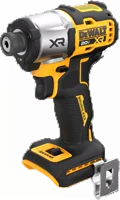
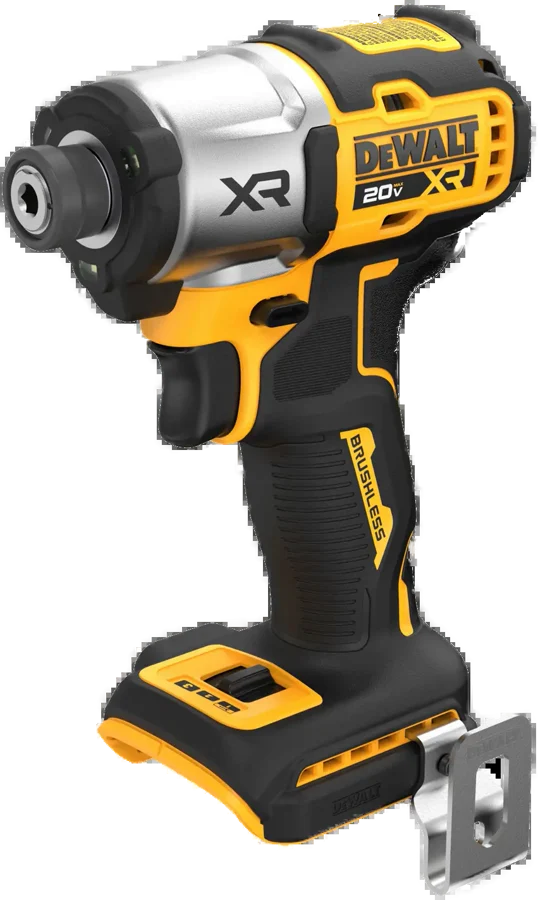
The DEWALT DCF845 is a 20V MAX XR cordless impact driver, sold tool only as the DCF845B. It suits anyone driving long, large diameter screws into wood or metal. DEWALT lists 1,825 in-lbs of max torque and 3,400 rpm from its brushless motor DEWALT.
Dewalt DCF845 at a glance
1,825in-lbs
Max torque
3,400rpm
Max speed
Quick-connect hex
Chuck
2.35lbs
Weight
DEWALT lists these specs on its DCF845B page, and the chuck and bit sizes come from the DCF845 instruction manual DEWALTmanual.
Max torque
1,825 in-lbs
Max speed
3,400 rpm
Chuck
Quick-connect hex
Weight
2.35 lbs
Full name
20V MAX XR 3-Speed Impact 1/4-in Driver
Tool only number
DCF845B
Motor type
Brushless
Voltage
20V MAX
Speed settings
3, set by a mode selector
Work light
3 LEDs
Accessories it takes
1/4 in (6.35 mm) hex and 1 in bit tips
Assembled length
8.07 in
In the box
Impact driver and belt hook
Warranty
3 year limited, 1 year free service, 90 day satisfaction
Is the Dewalt DCF845 brushless?
Yes, DEWALT lists the motor type of the DCF845 as brushless DEWALT. DEWALT says that brushless motor delivers 1,825 in-lbs of torque and 3,400 rpm.
How much torque does the Dewalt DCF845 have?
DEWALT lists 1,825 in-lbs of max torque DEWALT. A footnote on the same page sets that against the DCF885 impact driver, which DEWALT gives a rated torque of 1,400 in-lbs. DEWALT calls the gap 30% more torque.
What bits fit the Dewalt DCF845?
The manual says the chuck accepts 1/4 in (6.35 mm) hex accessories and 1 in (25.4 mm) bit tips manual. DEWALT asks for impact-ready accessories.
Dewalt DCF845B, DCF845P1 or DCF845P2?
DEWALT sells the same DCF845 driver in three pack-outs. The DCF845B is the bare tool. The two kits add 5.0Ah batteries, a charger and a kit bag DEWALTDEWALT.
→You need the shortest body: pick the DCF850 DEWALT.
→You want quieter work: pick the DCF870 hydraulic driver DEWALT.
Good to know before you buy
!
The DCF845B is the tool on its own. DEWALT lists the battery and charger as sold separately, so pick the DCF845P1 or DCF845P2 kit when you need them DEWALTDEWALT.
!
The chuck takes 1/4 in hex accessories and 1 in bit tips. Check the shank shape before you buy a bit set manual.
!
DEWALT asks for impact-ready accessories in this tool. The manual warns that non-impact accessories may break, so keep plain drill bits for a drill manual.
!
The DCF845 is TOOL CONNECT chip ready, and the chip is sold separately. Add the chip when you want the tool on the TOOL CONNECT system DEWALT.
!
DEWALT says to always check torque with a torque wrench. The manual names battery voltage, accessory size, bolt size, material and fastening time as things that change the torque you really get manual.
How the Dewalt DCF845 compares
Dewalt DCF845 vs DCF860
The DCF860 is DEWALT's high torque 3-speed driver, which DEWALT lists at 2,500 in-lbs and 3,800 rpm DEWALT. That is 675 in-lbs above the DCF845, about 37% more, by our maths. The DCF845 is the lighter of the two, at 2.35 lbs against 2.8 lbs.
Both list 1,825 in-lbs of max torque, so size and speed decide it. The DCF850 is the ATOMIC model, which DEWALT lists at under 4 in front to back and 3,250 rpm DEWALT. The DCF845 runs to 3,400 rpm.
Both are 1/4 in hex impact drivers, each on its own battery platform. Milwaukee lists the M18 FUEL 2953-20 at 2,000 in-lbs, 3,900 rpm and 4.47 in long, with four drive modes Milwaukee. The DCF845 offers three speed settings and 3,400 rpm.
DEWALT builds the DCF845 for its 20V MAX packs, and Milwaukee builds the 2953-20 for M18 packs. Batteries do not swap between the two platforms.
Dewalt DCF845 vs the DCD771 drill
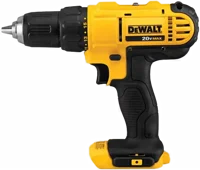
An impact driver and a drill do different jobs. The manual says the DCF845 is designed for impact screwdriving, in wood, metal and concrete manual. The Dewalt DCD771 is a drill/driver, which DEWALT lists with a 1/2 in keyless chuck and a two speed transmission DEWALT.
The manual says this impact driver is designed for professional impact screwdriving manual. It adds that the impact action makes the tool useful for driving fasteners in wood, metal and concrete. DEWALT's own line is that the motor drives large diameter screws DEWALT.
The manual says not to use the tool in wet conditions, or where flammable liquids or gases are present manual.
Before you start
Make sure the fastener and the thing you fix will take the torque this tool makes. The manual says too much torque can break parts manual.
What changed from the DCF885
DEWALT sets the DCF845 against the DCF885 in a footnote, and calls it 30% more torque DEWALT. DEWALT gives the DCF885 a rated torque of 1,400 in-lbs, a brushed motor and 2,800 rpm DEWALT. The DCF845 motor is brushless, and runs to 3,400 rpm.
The three speeds and the trigger
DEWALT lists a variable speed trigger and a 3-speed setting on the DCF845 DEWALT. The manual names the switch on top of the tool the mode selector manual. Pick the setting first, then work the trigger.
The trigger sets the speed inside the setting you picked. The manual says the farther you press the trigger, the faster the tool runs manual. A brake stops the chuck as soon as you fully release the trigger.
The manual advises against continuous running in the variable speed range, because that may damage the switch manual.
How do you set forward and reverse?
The forward/reverse button sits above the trigger and sets the direction manual. Press it on the right side of the tool for forward, and on the left side for reverse. Release the trigger before you move it.
Tip
The center position of the forward/reverse button locks the tool off manual. Use it before you change a bit.
The 3 LED work light
DEWALT fits an integrated 3 LED work light, to brighten work areas in low light DEWALT. The manual says the light comes on when you press the trigger switch, and goes off 20 seconds after you release it manual. Hold the trigger down and the light stays on.
The manual says the light is for the work surface in front of the tool, and is not meant as a flashlight manual.
Batteries and chargers that fit it
DEWALT lists the DCF845B as a tool on its own, with the battery and charger sold separately DEWALT. The manual names the 20V MAX lithium-ion packs that fit: DCB200, DCB201, DCB203, DCB203G, DCB204, DCB204BT, DCB205, DCB205G, DCB205BT, DCB206, DCB208, DCB210, DCB230, DCB240, DCBP034 and DCBP520 manual.
The same table also covers DEWALT's 60V MAX packs, and names twelve DEWALT chargers, the DCB107, DCB115 and DCB118 among them manual.
The DCF845P1 kit arrives with one DCB205 5.0Ah pack, and the DCF845P2 with two DEWALTDEWALT.
Before you start
The manual says to charge DEWALT packs in a DEWALT charger, and warns that other battery packs may create a risk of injury and fire manual.
How to set up and use it
Charge a 20V MAX pack. Plug the charger in first, then seat the pack. The red light blinks while it charges manual.
Wait for the red light to stay on. Charging is complete at that point.
Put the forward/reverse button in the center lock-off position.
Line the pack up with the rails inside the handle, and slide it in until it seats firmly.
Push an impact-ready 1/4 in hex accessory fully into the quick-release chuck. It locks in place manual.
Set the direction with the forward/reverse button, right side for forward.
Pick a speed on the mode selector on top of the tool.
Hold the main handle with one hand, as the manual shows manual.
Place the accessory on the fastener head, and keep the tool pointed straight at it.
Press the trigger to start, and release it to stop. Press further for more speed.
Check the finished torque with a torque wrench manual.
To take an accessory out, pull the chuck collar away from the front of the tool manual. The manual says to lock the tool off and take the pack out before you change accessories.
How to move the belt hook
The belt hook fits either side of the tool, for left or right handed users manual. Take out the screw that holds it, then rebuild it on the other side with that same screw. The manual says to tighten the screw securely, and to use the screw provided.
Care and quick fixes from the manual
How to clean it
Turn the tool off and take the battery pack out.
Blow dirt and dust out of all the air vents with clean, dry air, at least once a week manual.
Wear ANSI Z87.1 approved eye protection while you do it.
Wipe the body with a cloth dampened with water and mild soap.
The manual says never to use solvents or harsh chemicals on the non-metallic parts. Never let liquid get inside the tool.
If the battery will not charge
Plug a lamp or another appliance into the outlet, to check the outlet has power manual.
Check whether that outlet switches off with the room lights.
Move the charger and pack into air between 65 °F and 75 °F (18 °C and 24 °C).
If it still will not charge, take the tool, pack and charger to your local service center.
The manual says the charger will not charge a faulty pack, and that the charging lights stay off when that happens manual.
If the charger shows a yellow light
The yellow light marks the hot or cold pack delay manual. The charger holds off until the pack reaches a suitable temperature, then charges it and turns the yellow light off. The manual says a cold pack may charge slower than a warm one.
If the tool stops on its own
DEWALT builds an Electronic Protection System into its lithium-ion tools manual. The manual says it guards the pack against overload, overheating and deep discharge. The tool turns itself off, and the pack then needs a charge.
If it clicks when you change direction
The manual says the first run after you change the direction of rotation may click on start up manual. It calls that click normal, and not a sign of a problem.
How to get it repaired
DEWALT says repairs, maintenance and adjustment belong with a DEWALT factory service center, or a DEWALT authorized service center manual. The manual adds that the charger and batteries hold no serviceable parts, and that you should always fit identical replacement parts.
Dewalt DCF845 FAQ
Does the Dewalt DCF845 come with a battery?
The DCF845B does not. DEWALT lists it as tool only, with a belt hook, and the battery and charger sold separately DEWALT. The DCF845P1 kit adds one 5.0Ah pack, and the DCF845P2 adds two DEWALTDEWALT.
Is the Dewalt DCF845 discontinued?
No. DEWALT lists the DCF845B, the DCF845P1 kit and the DCF845P2 kit on its US site DEWALTDEWALTDEWALT.
How loud is the Dewalt DCF845?
DEWALT does not list a noise figure for the DCF845. For quieter work DEWALT points to the DCF870, which it calls its quietest impact driver, at up to 57% quieter operation DEWALT.
Where can I find the Dewalt DCF845 manual?
DEWALT posts the DCF845 instruction manual as a PDF, part number NA175052 manual. It covers the tool, the battery packs and the chargers, in English, French and Spanish.
How long is the warranty?
DEWALT lists a 3 year limited warranty, 1 year of free service and a 90 day satisfaction guarantee DEWALT. The manual points to DEWALT's three year limited warranty terms page manual.
How much is the Dewalt DCF845?
See today's price with the link above.
The verdict
4/4 PASS
No. 063 · DEWALT Impact Driver DCF845
Driving long screws fast, with full control.
The DCF845 suits anyone driving long, large diameter screws who already owns 20V MAX batteries. DEWALT lists 1,825 in-lbs of max torque, 3,400 rpm, three speed settings and a 3 LED work light, in a 2.35 lb body. The DCF845B carries no battery or charger, so plan for a pack or pick the P1 or P2 kit. For more torque pick the DCF860, and for the shortest body pick the DCF850.
 4/4 PASS