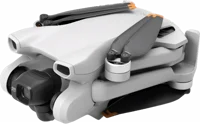
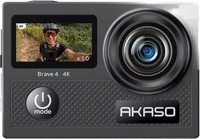
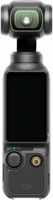
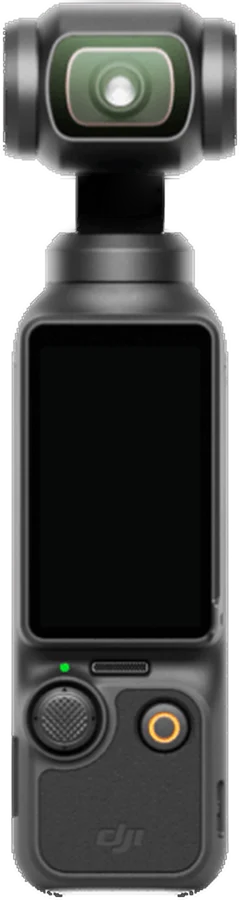
The DJI Osmo Pocket 3 is a handheld gimbal camera built around a 1-inch CMOS sensor DJI specs. It suits vloggers and travelers who want steady 4K video from one pocket-sized camera. DJI rates one charge at up to 166 minutes of recording DJI specs.
DJI Osmo Pocket 3 at a glance
UP TO
4K at 60fps
Video
UP TO
166minutes
Battery
2inch
Screen
3,in stereo
Microphones
DJI lists these figures on its specifications page and in the user manual DJI specsmanual.
Video
Up to 4K at 60fps
Battery
Up to 166 minutes
Screen
2 inch, twists upright
Microphones
3, in stereo
Sensor
1-inch CMOS
Lens
20 mm equivalent, f/2.0
Slow motion
4K at 120fps, 1080p at 240fps
Photos
About 9.4 MP, up to 3840 x 2160
Color modes
Normal, HLG, 10-bit D-Log M
Gimbal
3 axis, angular vibration +/-0.005 degrees
Charging
16 minutes to 80 percent, 32 minutes to full
Storage
microSD up to 1 TB, no built-in storage
Size and weight
139.7 x 42.2 x 33.5 mm, 179 g
Does the DJI Osmo Pocket 3 come with an SD card?
No. The manual states that footage is stored on a microSD card, and that no card comes in the box manual. DJI asks for a UHS-I Speed Grade 3 rating, and names SanDisk Extreme Pro, Kingston Canvas Go! Plus and Lexar cards on its recommended list DJI specs.
Does the DJI Osmo Pocket 3 have internal storage?
No. DJI lists no built-in storage, and microSD cards up to 1 TB in exFAT DJI specs. Format the card in the camera before the first shoot manual.
Osmo Pocket 3 Standard Combo or Creator Combo?
Both hold the same camera, cable, cover, strap and handle DJI Store. The Creator Combo adds five parts, and its Mic 2 transmitter arrives already linked Creator Combomanual.
→You want a telephoto lens: pick the Osmo Pocket 4P Pocket 4P specs.
→You want a waterproof body: pick the Osmo Action 5 Pro Action 5 Pro specs.
Good to know before you buy
!
The camera is not water resistant. DJI's manual says to keep liquid off it and to clean it with a soft dry cloth. Choose a waterproof model for swimming, surf and rain manual.
!
No microSD card comes in the box. Buy one with the camera, rated UHS-I Speed Grade 3. DJI supports cards up to 1 TB manualDJI specs.
!
No charger comes in the box, just the cable. DJI recommends its 65W Portable Charger, its 30W USB-C Charger or another USB-C Power Delivery charger manual.
!
DJI measured the 166 minutes at 1080p and 24fps. That test ran at 25 C, with Wi-Fi off and the screen off. For a longer day, the Battery Handle carries a built-in 950 mAh battery DJI specsmanual.
!
DJI lists software updates as guaranteed until 2026/12/31. Weigh that date against how long you plan to keep the camera. Updates arrive through the DJI Mimo app DJI specs.
How the DJI Osmo Pocket 3 compares
We compared DJI's own specifications pages, and GoPro's page for the HERO13 Black.
DJI Osmo Pocket 3 vs Osmo Pocket 4
Both carry a 1-inch CMOS sensor behind a 20 mm equivalent f/2.0 lens. The Pocket 4 adds 107 GB of built-in storage, 240 minutes of recording and 37 MP photos Pocket 4 specs.
DJI also lists the Osmo Pocket 4P, with lenses at 20 mm and 60 mm Pocket 4P specs.
DJI Osmo Pocket 3 vs DJI Osmo Action 5 Pro
The Osmo Pocket 3 brings the larger 1-inch sensor and a mechanical 3-axis gimbal. The Osmo Action 5 Pro adds a waterproof body and 4K to 120fps Action 5 Pro specs.
The Osmo Pocket 3 brings the 1-inch sensor, the mechanical gimbal and the twisting screen. The HERO13 Black brings 5.3K60 video, 27 MP photos and a body GoPro rates waterproof to 33 feet GoPro.
No. DJI's manual states that the handheld gimbal camera is not water resistant manual. Keep liquid off it, and clean it with a soft dry cloth. The Battery Handle carries the same rule.
For wet work, DJI rates the Osmo Action 5 Pro to 20 m of water Action 5 Pro specs.
Before you start
DJI says not to use the camera where vibration is high, such as mounted on a motorcycle or bike handlebar.
What video can the DJI Osmo Pocket 3 record?
4K at 3840 x 2160, at 24, 25, 30, 48, 50 or 60 frames a second DJI specs. Slow motion runs 4K at 120fps, and 1080p at 120 or 240fps. The maximum video bitrate is 130 Mbps.
Upright and square sizes run at the same frame rates DJI specs. The upright options are 3K at 1728 x 3072 and 2.7K at 1512 x 2688.
Six shooting modes sit behind the mode icon: Panorama, Photo, Video, Low-Light, Slow Motion and Timelapse manual. Timelapse splits into Hyperlapse, Timelapse and Motionlapse. Hyperlapse is the one DJI lists for a moving camera.
Color has three options: Normal, HLG and 10-bit D-Log M manual. D-Log M widens the dynamic range for color grading later. Files save as MP4, in HEVC by default or H.264 for wider compatibility.
What changed from the DJI Pocket 2
The sensor moved from 1/1.7-inch CMOS to 1-inch CMOS Pocket 2 specsDJI specs. Battery capacity went from 875 mAh to 1300 mAh, and the recording figure from 140 minutes to 166 minutes. The card limit rose from 256 GB to 1 TB, and the Pocket 2 lists a wider f/1.8 aperture.
Battery and charging
DJI rates one charge at up to 166 minutes of recording DJI specs. The pack is a 1300 mAh li-ion cell, 10.01 Wh at 7.70 V. DJI measured that figure at 25 C and 1080p/24fps, with Wi-Fi off.
Charging takes about 16 minutes to 80 percent and about 32 minutes to full manual. DJI measured that with its 65W PD charger, sold apart.
The Battery Handle carries a built-in 950 mAh battery, and charges once the camera's own battery is full manual. Low Power Mode draws 0.5W and starts within 20 minutes by default DJI specs.
Before you start
DJI says the camera stops shooting when it overheats, so do not cover the ventilation area.
Does the DJI Osmo Pocket 3 have a built-in mic?
Yes. DJI lists 3 microphones in a built-in array, with audio at 48 kHz 16-bit AAC DJI specs. The manual says the array cuts wind noise and records stereo sound manual.
Audio settings sit behind a swipe from the right edge manual. Channel picks Stereo or Mono, and Directional Audio aims the built-in mics Front, Front and Back, or All. Wind Noise Reduction works on the built-in mics, not on an external one.
How do you connect a DJI Mic to the Osmo Pocket 3?
A DJI Mic 2 transmitter links over Bluetooth, with no receiver in the chain manual. Open Settings›Wireless Mic›TX1 on the camera. Then hold the transmitter's linking button for 2 seconds until its system light blinks blue.
The camera links up to 2 Mic 2 transmitters at once manual. The older DJI Mic needs its receiver in the camera's USB-C port. Any third-party digital USB-C microphone that supports 48K/16bit also works.
How the twisting screen and the gimbal work
The 2-inch touchscreen rotates, and that one move does several jobs DJI. Rotate it clockwise to power on, and counterclockwise to power off once Rotate screen to power off is set manual.
The same twist switches the frame between wide and upright. Orientation has three settings: Auto-Rotation, Landscape and Portrait manual. The screen runs 556 x 314 at 700 nits DJI specs.
Three motors sit under the camera: pan, tilt and roll, with an angular vibration range of +/-0.005 degrees DJI specs. Follow holds the roll axis level, Tilt Locked locks tilt, and FPV rotates freely manual.
ActiveTrack keeps a subject in frame. Tap the screen twice on a subject in Photo or Video mode manual. FT (Selfie) finds and follows your face once the camera turns toward you.
Tip
Screen Rotate & Capture starts the recording the moment you twist the screen to power the camera on.
Can you use the DJI Osmo Pocket 3 as a webcam?
Yes. Connect the camera to a computer over USB and it shows a USB menu manual. Tap Webcam and the camera becomes a webcam input device. Exposure, White Balance and Focus Mode stay adjustable with a swipe from the right edge.
Livestreaming runs through the DJI Mimo app rather than the camera alone manual.
How to set up and use it
These steps follow the first use and basic operation pages of the manual manual.
Slide a UHS-I Speed Grade 3 microSD card into the card slot on the side.
Rotate the touchscreen clockwise, or press the Shutter button, to power on.
Charge over USB-C with the cable from the box and a USB-C PD charger.
Turn Wi-Fi and Bluetooth on your phone, then open DJI Mimo and tap to connect.
Follow the prompts in DJI Mimo to activate the camera.
Format the card in Settings›Format, then swipe to confirm.
Tap the mode icon and swipe to pick Video, Photo, Low-Light, Slow Motion or Timelapse.
Swipe up from the bottom to set the resolution, frame rate and aspect ratio.
Swipe down from the top, then set Auto-Rotation, Landscape or Portrait.
Press the Shutter button to start recording, and press it again to stop.
Press the 5D Joystick three times to flip between forward and selfie.
Hold the Shutter button for 1 second to power off.
Care and quick fixes from the manual
How to clean the Osmo Pocket 3 and its lens
Use a soft dry cloth and nothing wet manual. DJI says not to use liquid cleaners, and to keep sand and dust away from the gimbal.
Before you start
DJI says not to expose the lens to laser beams, such as at a laser show, because that can damage the sensor.
If the picture shakes or the gimbal drifts
Run a gimbal calibration manual. Swipe down for the control menu, tap the settings icon, then tap Gimbal Calibration. Place the camera on a stable flat surface and do not hold it while it runs.
DJI says calibration cuts gimbal drift from human error or nearby magnetic interference.
If it will not charge
Use the cable from the box into a USB-C Power Delivery charger manual. Charge through the rear port when a handle is mounted. A foreign object in the port also blocks charging, and DJI says to clear it with an air blower.
If it will not connect to your phone
Check that Wi-Fi and Bluetooth are both on, and that DJI Mimo is up to date manual. Then open Settings›Wireless Connection›Reset Connection, which clears every connection and Wi-Fi password.
A linked DJI Mic 2 transmitter on the 2.4GHz band stops DJI Mimo from connecting. Switch the camera's Wi-Fi to 5.8GHz, or unlink the transmitter first.
How to reset the Osmo Pocket 3
Settings›Factory Reset puts every setting back to its original value and restarts the camera manual. Settings›Format is the separate step that wipes the microSD card.
DJI Osmo Pocket 3 FAQ
Does the DJI Osmo Pocket 3 take photos?
Yes. Single Shot photos land at about 9.4 MP, 3840 x 2160 or 3072 x 3072 DJI specs. Photo ISO runs 50 to 6400, and JPEG or JPEG+RAW are both available. Panorama shoots a 180 degree sweep or a 3 by 3 grid manual.
Does the DJI Osmo Pocket 3 have zoom?
Yes, digital zoom. DJI lists 4x at 1080p, 3x at 2.7K and 2x at 4K for video, and 2x for photos DJI specs.
How does the DJI Osmo Pocket 3 handle low light?
Low-Light is one of the six shooting modes. The manual says the camera adjusts exposure parameters to improve image quality in low light manual. Low-Light video ISO reaches 16000, against 6400 for normal video DJI specs.
How much does the DJI Osmo Pocket 3 cost?
See today's price with the link above.
Where can I find the DJI Osmo Pocket 3 manual?
DJI posts the user manual as a PDF on its Osmo Pocket 3 download page DJI downloads. The quick start guide and the safety guidelines sit beside it.
The verdict
4/4 PASS
No. 038 · DJI Osmo Pocket 3
Pocket sized vlogs that look smooth and steady.
The DJI Osmo Pocket 3 suits a vlogger or traveler who wants steady, pocket-sized video. DJI pairs a 1-inch sensor and 4K up to 60fps with a mechanical 3-axis gimbal and a 3-mic array. Add a UHS-I Speed Grade 3 microSD card and a USB-C PD charger, and keep it out of the rain.
 4/4 PASS