The Aura Carver is a 10.1 inch WiFi photo frame that family members fill from their phones. It suits a parent or grandparent who wants new photos without learning an app. Aura says the frame takes unlimited photos and videos with no subscription fees Aura.
Aura Carver at a glance
10.1inch diagonal
Display
1280 x 800HD
Resolution
Unlimited photos and videos
Storage
UP TO
30seconds
Video
Aura lists these numbers on the Carver page, in its user manual and in its technical requirements article Auramanualrequirements.
Display
10.1 inch diagonal, landscape
Resolution
1280 x 800 HD
Storage
Unlimited photos and videos, no subscription
Video
Up to 30 seconds, sound on the speaker
Frame size
10.5 x 7.3 x 2.1 in
Weight
1.61 lbs
Screen brightness
440 to 450 nits
Orientation
Landscape only, with portrait pairing
WiFi
2.4GHz broadcast-capable router
Speaker
Built in
Power
100 to 240V outlet, 10Wh awake and 2Wh asleep
Slideshow speed
15 seconds up to 24 hours
How big is the Aura Carver?
It measures 10.5 inches wide, 7.3 inches tall and 2.1 inches deep, and weighs 1.61 lbs Aura. That is about the footprint of a sheet of letter paper on its side.
Does the Aura Carver have a battery?
No. Aura says the frame must stay plugged into a 100 to 240V outlet and stay on WiFi to work requirements. You can unplug it at any time without losing photos or settings schedule.
Does the Aura Carver work with Android?
Yes. Aura lists Android 8.0 or higher with Bluetooth Low Energy. It also lists iOS 15 or higher, on an iPhone 8 or newer requirements. Android also needs Location Services on during setup.
Aura Carver or Carver Mat?
Pick the Carver for a plain landscape frame. Pick the Carver Mat for the same frame with a paper-like matted border around the picture Aura. Aura lists the same screen, size and weight for both.
The Carver screen is landscape only. Photo Match pairs two portrait photos side by side. A single portrait photo sits between black bars photo match.
!
The Carver joins a 2.4GHz network. Check that your router broadcasts 2.4GHz. The Aspen and Walden are the models that also take 5GHz requirements.
!
Setup needs a phone or tablet with Bluetooth. Ask a family member to set it up on site when the owner has no phone no device.
!
Videos play silently on their own. Tap the touch bar once to replay the clip with sound videos.
!
Email sending takes one still photo per message. Use the Aura app for videos, Live Photos and batches email.
Note
Aura covers every frame with a one-year warranty, and gives auraframes.com orders a 90-day return window warrantyreturns.
How the Aura Carver compares
Aura Carver vs Skylight Frame
Both are 10 inch frames at 1280x800, fed by a phone app or an email address. Aura lists unlimited cloud photos and videos. The Skylight Frame keeps 8GB on the device and adds video with Frame Plus Skylight.
Aura Carver vs Nixplay Smart Photo Frame 10.1" Touch
Both are 10.1 inch class frames at 1280x800 with a speaker. Aura includes unlimited storage and 30 second clips. Nixplay gives 500 MB and 15 second clips free, and lifts both on Plus Nixplay.
The Aspen is the step up inside Aura's own range. It turns between portrait and landscape, and carries a 1600 x 1200 anti-glare screen with a mat border Aura. The Carver stays landscape, and Aura calls it the bestselling model comparison guide.
Yes, when you ask it to. Aura limits clips to 30 seconds, and the app trims a longer video to its first 30 seconds videos. You can change which 30 seconds it keeps.
Clips in the slideshow always play silently, so the room stays quiet. Tap the touch bar once to replay the clip with sound on the Carver's speaker videos. Hold the touch bar to bring up the volume control, and the frame remembers that volume.
Tip
Turn off Autoplay Videos in the frame settings to keep clips as still photos until someone plays them videos.
How do people send photos to the frame?
Five ways. Aura lists the app, a text message, the frame's own email address, the web uploader, iCloud and Google Photos comparison guide. Aura also puts no cap on how many people may contribute.
Each frame gets its own email address, which you copy from Settings›Email to frame in the app email. Attach one JPG, PNG or TIFF per message. The sender must be an invited frame member, writing from the address on their Aura account.
Text sending works for phone numbers with the +1 country code text. Aura starts the thread, and you reply with photos. Videos, PDFs and Live Photos go through the app instead.
Does the Aura Carver need a subscription?
No. Aura says there are no subscriptions or fees, and that photo and video storage is free and unlimited Aura. The app, the account and every in-app feature come with the frame setup.
Does the Aura Carver need WiFi?
It needs WiFi to receive new photos. Aura says a frame without WiFi keeps showing the photos it already has, but takes nothing new questions. Photos come from Aura's cloud servers, which is also why the fastest slideshow step is 15 seconds timing.
A WiFi change has to happen in the same room as the frame, never remotely WiFi help. Aura also asks you to use WiFi rather than a hotspot, because uploads and updates can run to gigabytes power.
How the Carver pairs two portrait photos
The Carver screen is built for landscape, so Aura gives it Photo Match photo match. It puts two upright photos side by side to fill the width, and picks the pairs itself.
Switch it off in the frame settings to see one photo at a time. A single portrait photo then sits in the middle, with black bars or a filled background beside it.
What you can change in the app settings
Open the Aura app, tap your frame, then tap the settings icon in the top right schedule:
Timing sets the slideshow step, from 15 seconds to 24 hours.
Photo Order switches between chronological and shuffled.
Autoplay Videos turns clips and Live Photos on or off.
Photo Match turns portrait pairing on or off.
Speaker Volume sets the default volume for clips.
On/Off holds Auto and the Schedule timer.
Email to frame shows the frame's own address.
By default the frame reads the light in the room, dims itself and sleeps in the dark schedule. Pick Schedule instead to fix a Display On and Display Off time, then check the time zone.
How to set up and use it
Pull the tab on the screen film and lift the film off.
Install the free Aura Frames app from the App Store or Google Play.
Create a free Aura account, or log in to the one you have.
Plug the frame into a power outlet and wait for the 4-digit code.
Open the app, then tap + NEW FRAME if you already own a frame.
Choose It's for me, even when the frame is for somebody else.
Let the app read the 4-digit Bluetooth code from the screen.
Pick your network from the WiFi list and type the password.
Wait for Connected! Please add photos in the Aura App on the screen.
Name the frame, then add photos and invite family and friends.
Aura says the frame is ready to show photos about a minute after it is plugged in setupcomparison guide.
How to preload it as a gift
Aura offers two gift routes, and asks you to pick one only gifting. A virtual claim code suits a frame shipped straight to the recipient. The QR code on the back of the box suits a frame you have in your hands.
Open the Aura app and start a gift in the app.
Add your photos, videos and a one-off greeting message.
Invite other contributors to the gift, if you want to.
Share the claim code through the app, or scan the box QR code.
Leave the frame boxed, because connecting it can claim your own gift.
The content appears as soon as the recipient joins their WiFi and enters the code gifting.
Care and quick fixes from the manual
How to clean the screen
Wipe the display with a microfiber cloth, in a gentle circular motion cleaning. Aura asks you to keep liquids, harsh chemicals and abrasive materials away from the frame.
How to use the touch bar
Tap the top or side bar once to see where and when a photo was taken.
Tap a few times in quick succession to send a heart to the sender.
Hold the top bar until the menu appears.
Swipe across the bar to pick Off, Remove or Play, then tap again.
Swipe once more to confirm, or tap again to cancel touch bar.
Tap and hold the top bar to wake the frame again.
If it goes offline
Unplug the frame, plug it back in, and let it try the network again.
Open Settings›WiFi Network in the app to see the network it last used.
Restart the router, then reconnect the frame within 5 minutes.
Tap + New Frame in the app and run the setup steps again.
Forget the network on your phone and retype the password to check it WiFi help.
The frame shows Offline or a Couldn't join network message. After 24 hours it returns to the code screen.
If it will not turn on or stays stuck
Aura's reset puts the frame back to its setup state and clears its photos, members and videos reset. Aura asks you to do this only when its Customer Care team requests it.
Leave the frame connected to power.
Find the reset hole on the bottom or back, near the power socket.
Press a small paperclip in until you feel the button click.
Hold for 10 to 15 seconds, until Factory Data Reset appears.
Withdraw the paperclip and wait for the Erasing message.
Wait for the 4-digit code, then set the frame up again.
Before you start
Keep your serial number. Aura can often restore a hardware-reset frame's photos and contributors, but a reset from inside the app is permanent reset.
Aura Carver FAQ
Can you hang the Aura Carver on a wall?
Aura lists the Walden as its only current LCD frame made for tabletop and wall use comparison guide. The Aura Ink also ships with a wall hook.
Is the Aura Carver wireless?
It is wireless for photos and wired for power. The frame joins your 2.4GHz WiFi, and stays in a 100 to 240V outlet to run requirements.
Does the Aura Carver have internal storage?
Aura keeps your photos in its own cloud and sends them to the screen. That is why storage is unlimited timing. Aura does not list an on-frame storage figure.
What colors does the Aura Carver come in?
Aura lists the Carver 10 inch in Charcoal and in Chalk Aura.
How much is the Aura Carver?
See today's price with the link above.
The verdict
4/4 PASS
No. 033 · Aura Carver
Sending family photos to someone far away.
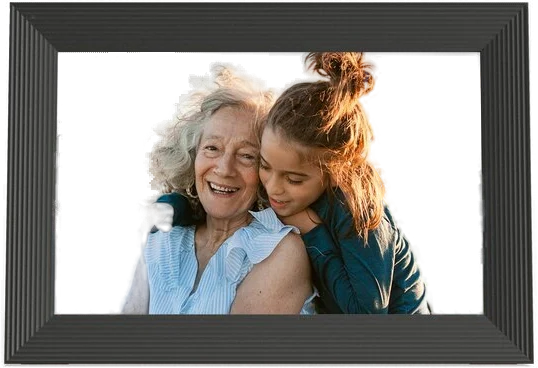
The Aura Carver suits a family that wants photos to land on a relative's shelf, with nothing to pay afterwards. Aura gives it a 10.1 inch 1280x800 screen and 30 second clips with sound on demand. Storage is unlimited, and there are five ways to send a photo. Pick the Aspen or the Walden when you want a bigger, rotating or wall-mounted screen.
 4/4 PASS