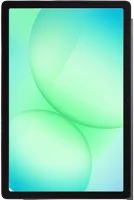
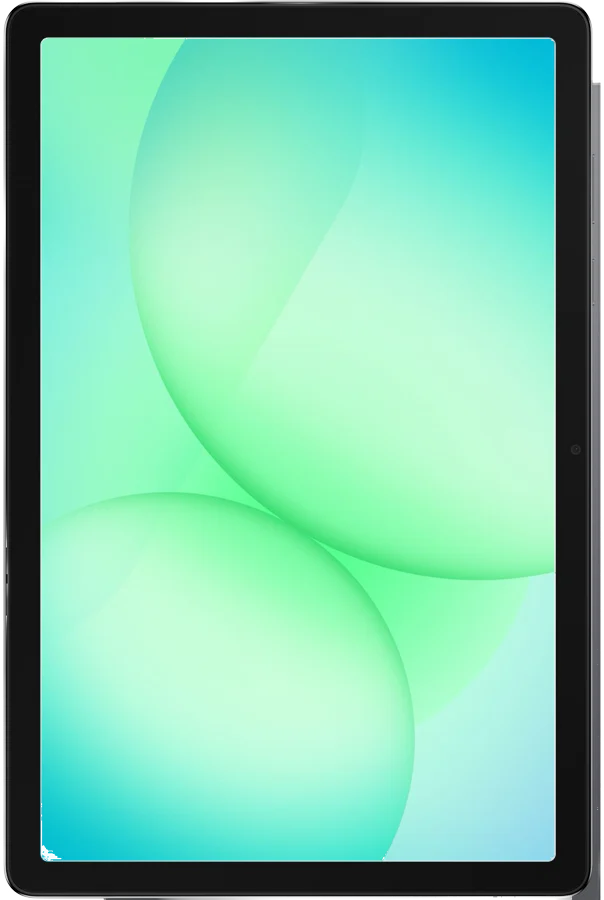
The Galaxy Tab A11+ is Samsung's 11-inch tablet in the Galaxy Tab A line, and it runs Android 16 Newsroom. It suits movies, games, browsing and schoolwork on a big screen. Samsung lists a 7,040 mAh battery, up to 15 hours of video playback and microSD room for 2 TB Samsung.
Galaxy Tab A11+ at a glance
11inch
Screen
UP TO
15hours of video playback
Battery life
UP TO
2TB microSD
Memory card
477grams
Weight
Samsung lists these numbers on its US product page, in its Newsroom release and on its own spec sheet SamsungNewsroomspecs.
Screen
11 inch, 1920 by 1200, up to 90 Hz
Battery life
Up to 15 hours of video playback
Memory card
Up to 2 TB microSD
Weight
477 grams (1.05 pounds)
Screen glass
Corning Gorilla Glass 3, 480 nits
Processor
MediaTek MT8775 octa core, 2.5 GHz and 2 GHz
Memory
6 GB or 8 GB of RAM
Storage
128 GB or 256 GB
Battery and charging
7,040 mAh, 25 W Super Fast Charging
Sound
Quad speakers with Dolby Atmos, 3.5 mm jack
Cameras
8 MP rear, 5 MP front, 4K video at 30 fps
Wireless
Wi-Fi 5 (802.11ac), Bluetooth 5.3, 5G on the 5G model
Software
Android 16, security updates valid until 30 November 2032
In the box
Quick start guide, ejection pin, USB Type-C cable
What size is the Galaxy Tab A11+?
Samsung lists the body as 257.1 by 168.7 by 6.9 mm. The Wi-Fi model weighs 477 grams, and the 5G model weighs 482 grams specs5G specs. Samsung measures the screen at 11.0 inches as a full rectangle, and 10.9 inches with the rounded corners.
Is the Galaxy Tab A11+ 5G?
Yes, on the 5G model. Samsung sells a Wi-Fi model and a 5G model in the same body Samsung. The 5G model lists 5G Sub6 bands, 4G LTE bands and a nano SIM slot in the microSD tray 5G specs.
Both models share the same 11-inch screen, the same chipset and the same 7,040 mAh battery. The 5G model adds mobile data and a nano SIM slot, and Samsung lists it as 5 grams heavier specs5G specs.
You want an S Pen in the box: pick the Galaxy Tab S10 Lite Tab S10 Lite.
You want more video hours: pick the Galaxy Tab S10 Lite, at up to 16 hours Tab S10 Lite.
You want mobile data: pick the Galaxy Tab A11+ 5G Samsung.
Good to know before you buy
!
Samsung lists 3 items in the box, and a wall charger is not one of them. The box holds a quick start guide, an ejection pin and a USB Type-C cable, so add a 25 W adapter to reach the 25 W Super Fast Charging speed Samsungaccessories.
!
The microSD card is sold separately. Samsung's own footnote says so, so plan for a card if you want the extra storage on top of the 128 GB or 256 GB inside Samsung.
!
Samsung lists the S Pen for this model as "No". For pen input included in the box, Samsung puts an S Pen with the Galaxy Tab S10 Lite NewsroomTab S10 Lite.
!
Samsung lists facial recognition as the unlock method, and no fingerprint reader. Set a PIN, pattern or password as well, because face unlock asks for one as a backup specs.
!
Samsung lists Wi-Fi 5 (802.11ac) on 2.4 GHz and 5 GHz, Bluetooth 5.3, and no NFC. Check that your router runs a 2.4 GHz or 5 GHz band, and use Bluetooth or the 3.5 mm jack rather than tap-to-pair Newsroomspecs.
Note
Samsung lists security updates for this model as valid until 30 November 2032 specs.
How the Galaxy Tab A11+ compares
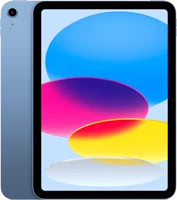
Galaxy Tab A11+ vs iPad A16
Both are 11-inch tablets for video, browsing and schoolwork. Samsung lists a higher refresh rate, a memory card slot, 4 speakers and a 3.5 mm jack. Apple lists a sharper screen, a faster port and Apple Pencil support on the iPad A16Apple.
The two share a body size, an 11-inch 90 Hz screen and a 7,040 mAh battery. Samsung lists a faster chipset, newer Bluetooth, 4K video recording and microSD support up to 2 TB on the A11+. It also says the A11+ charges 1.6 times faster than the A9+ Newsroom.
The A11+ is 3 grams lighter, about 0.6 percent less, by our maths.
Is the Samsung Tab A11 good for gaming?
Samsung answers this with the screen and the chipset rather than with frame rates. Samsung says the display, "combined with up to 90 Hz refresh rates", delivers natural motion and smooth scrolling Samsung.
Samsung lists a MediaTek MT8775 octa core chipset at 2.5 GHz and 2 GHz. It pairs that with 6 GB or 8 GB of RAM, quad speakers and the 3.5 mm jack Newsroom. Samsung publishes no frame rate figures for games, so treat the 90 Hz number as the screen's limit.
Battery and charging
Samsung lists a 7,040 mAh battery with up to 15 hours of video playback, and 25 W Super Fast Charging Samsung. The 25 W wall charger is sold separately, and Samsung asks you to use a Samsung-approved charger and USB-C cable.
Samsung sells a 25 W Fast Charging Adapter for this tablet accessories. If charging runs slowly, its first checks are the cable, the adapter and the port charging.
What changed from the Galaxy Tab A9+
Samsung kept the 11-inch 90 Hz screen, the 7,040 mAh battery and the 257.1 by 168.7 by 6.9 mm body. It moved the chipset to a MediaTek MT8775 at 2.5 GHz, and raised microSD support to 2 TB. Bluetooth moved from 5.1 to 5.3 NewsroomTab A9+.
Video recording moved from Full HD to 4K at 30 fps. Samsung adds Corning Gorilla Glass 3 over the screen, and says the tablet charges 1.6 times faster than the A9+.
Does the Galaxy Tab A11+ have a headphone jack?
Yes. Samsung says the tablet "supports a standard 3.5mm audio jack for wired headphones" Newsroom. The spec sheet lists the 3.5 mm jack alongside the quad speakers specs.
Does the Galaxy Tab A11+ have Samsung DeX?
Yes. Samsung lists the Tab A11+ among the tablets that "have DeX built in" DeX. DeX then runs on the tablet screen with no monitor attached. Samsung's Newsroom release calls this the DeX Standalone Edition Newsroom.
To start it, swipe down with two fingers and tap Samsung DeX in the Quick settings panel. You can also connect an external display. To set a physical keyboard's language, go to Settings›General management›Physical keyboard.
Tip
Smart View sits in the same panel, and mirrors the screen to a Samsung TV on your Wi-Fi network Smart View.
How to set up and use it
Press and hold the Side button until the tablet starts power.
Plug the USB Type-C cable from the box into a 25 W adapter to charge at the full listed speed Samsung.
Use the ejection pin from the box to open the tray, then fit a microSD card or, on the 5G model, a nano SIM 5G specs.
Check for new software in Settings›Software update, then tap Download and installupdate.
Turn on Auto download over Wi-Fi on the same screen to let updates arrive on their own.
To change the system language, go to Settings›General management›Language, tap Add language, then choose Set as defaultlanguage.
For a screenshot, press and hold the Side and Volume down buttons together, then release screenshot.
For a hand gesture instead, turn on Palm swipe to capture in Settings›Advanced features.
To open Samsung DeX, swipe down with two fingers and tap Samsung DeXDeX.
To turn it off, hold Side and Volume down until the power menu appears, then tap Power off twice power.
Care and quick fixes from the manual
How to clean it
Power the tablet down and unplug it from power.
Take off any cover, case or accessory.
Wipe the front and back with a lint free microfiber cloth, without much pressure.
For stubborn marks, damp a corner of the cloth with a little distilled water.
Use no cans of compressed air, and no spray bleach cleaning.
Samsung allows a disinfectant on the cloth rather than on the tablet. It lists a hypochlorous acid solution at 50 to 80 ppm, or above 70 percent ethanol or isopropyl alcohol.
If it will not charge
Swap in a compatible Samsung charger and cable, and look for damage on both.
Power the tablet off, shine a light into the charging port, and lift out any dust or lint.
Use no metal objects and no liquids inside the port.
Turn on Fast charging in Settings›Battery›Charging settings.
Check Settings›Battery›Battery protection, because a charge limit there stops a full charge.
Look for a moisture warning, then dry the port in a well aired place charging.
Samsung says lasting charging trouble can point at the hardware, and asks you to visit a service center.
If it will not turn on or respond
Hold Volume down and Side together until the tablet turns off and starts again restart.
For a normal restart, hold the same two buttons, then tap Restart twice.
If nothing happens, leave it on charge for several minutes first power.
Samsung says a fully drained battery can take several minutes to show any sign of charging.
How to reset it to factory settings
Back up your photos, videos and documents first.
If you encrypted the microSD card, search for Decrypt SD card in Settings and follow the prompts.
Go to Settings›General management›Reset.
Tap Factory data reset, read the information, then tap Reset.
Tap Delete all.
Enter your screen lock credentials and your Samsung account password if asked reset.
Before you start
Samsung says personal information may not be recovered after a factory data reset, so back up before you start reset.
Galaxy Tab A11+ FAQ
When did the Galaxy Tab A11+ come out?
Samsung's Newsroom release says the Galaxy Tab A11+ "will be available on January 8" Newsroom.
Does the Galaxy Tab A11+ have a SIM card slot?
On the 5G model, yes. Samsung lists a single nano SIM slot that shares the tray with the microSD card 5G specs. The Wi-Fi model's spec sheet lists no SIM.
Does the Galaxy Tab A11+ come with a pen?
No. Samsung's spec table lists the S Pen for this model as "No" Newsroom. Samsung includes an S Pen with the Galaxy Tab S10 Lite instead Tab S10 Lite.
Is the Galaxy Tab A11+ waterproof?
Samsung lists no water resistance rating for this model on its spec sheet specs. Keep it away from liquids, and dry the charging port if a moisture warning appears charging.
Can you mirror the Galaxy Tab A11+ to a TV?
Yes, to a Samsung TV on the same Wi-Fi network. Swipe down from the top right, tap Smart View, pick the TV, then tap Start nowSmart View.
How much is the Galaxy Tab A11+?
See today's price with the link above.
The verdict
4/4 PASS
No. 072 · Samsung Galaxy Tab A11+
Movies, games and everyday use.
The Galaxy Tab A11+ suits movies, games, browsing and schoolwork on an 11-inch screen. Samsung lists up to 15 hours of video playback and an up to 90 Hz refresh rate. The spec sheet adds quad speakers, a 3.5 mm jack and microSD room for 2 TB. Buyers who want an S Pen in the box should look at the Galaxy Tab S10 Lite instead.
 4/4 PASS